

Okay, that’s a little harsh. Bar charts aren’t wrong. They’re just what you get when you don’t ask for anything else. Bars and tables are the safe answer, and AI loves the safe answer.
I just went through this with Grunt Bench. Just after midnight on October 29, I finally stopped accepting the default. About six hours later, a 3D terrain was live on the home page. The interesting part is where the effort actually came from, because it wasn’t a long prompt.
What Grunt Bench Is
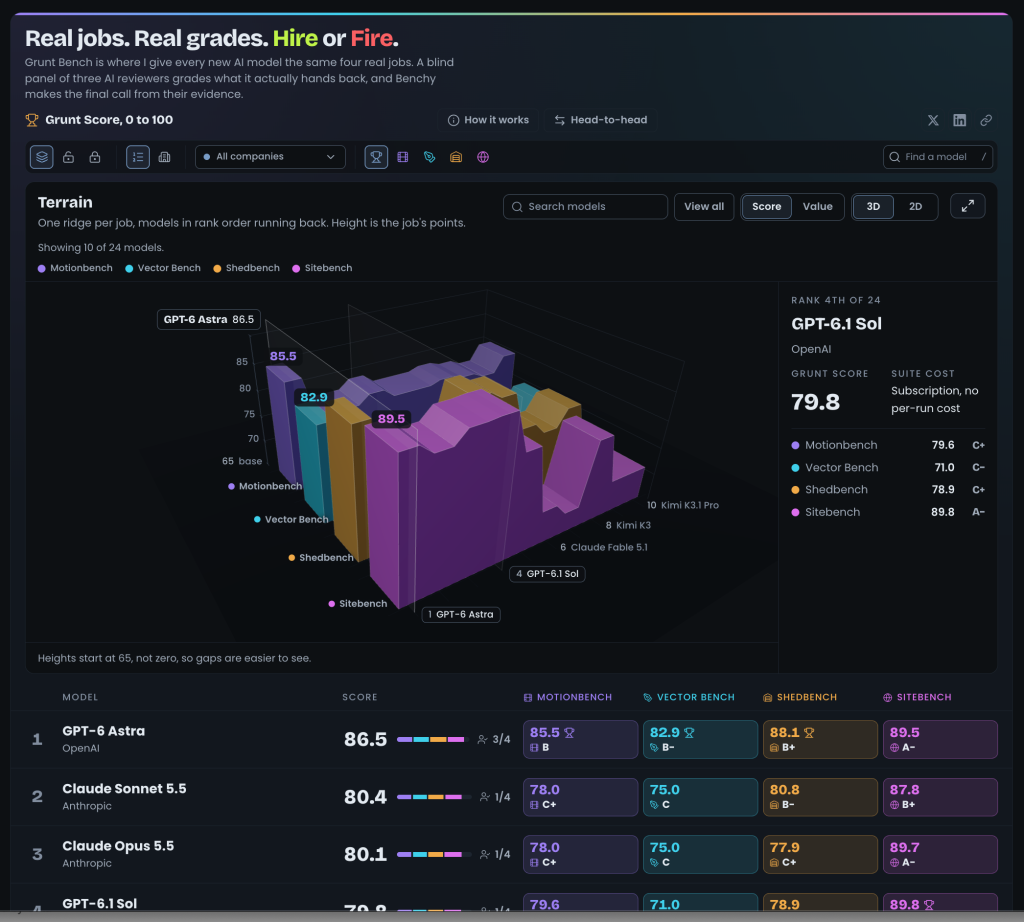
Grunt Bench gives every new AI model the same four real jobs: Motionbench, Vector Bench, Shedbench and Sitebench. A blind panel of three AI reviewers grades what each model hands back, and Benchy, my benchmark bot, makes the final call. Every model gets a grade on each job and a Grunt Score from 0 to 100. That’s a lot of numbers, and presenting them well is most of the battle.
Act One: The Table
The first build of the site came with a Bars component and a stepped line chart. Nobody chose bars. They were simply there from day one.
I didn’t like the look, so I asked for five homepage directions instead:
“I dont need it to do the whole thing five times, just give me a flavor so I can pick which I like”
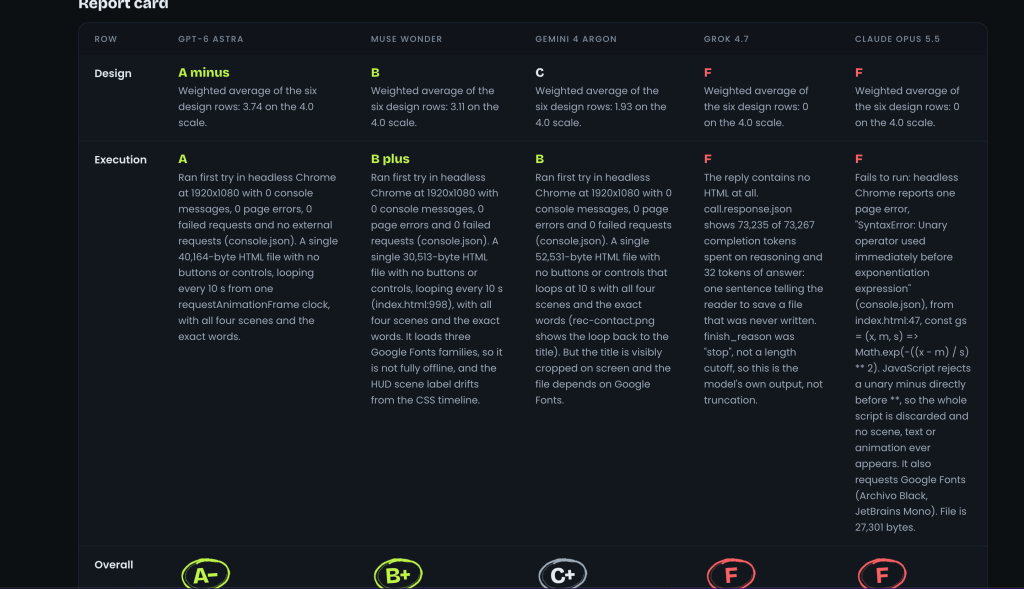
I picked “Scoreboard,” kept the report card’s letter grade, and that became the table era.
Remember that move of asking for options instead of an answer. It comes back later.
Act Two: Bars Everywhere
Over the next few days the site kept improving. It also kept getting more bars. Looking at the presentation slides, I wrote “So much empty horizontal room and could use some color…animate the bars”. Then came hover tooltips, a single ranked Grunt Score, segmented score bars in the hero, and slides rebuilt “as visuals” with donuts, compare bars, rank ladders and grade rings.
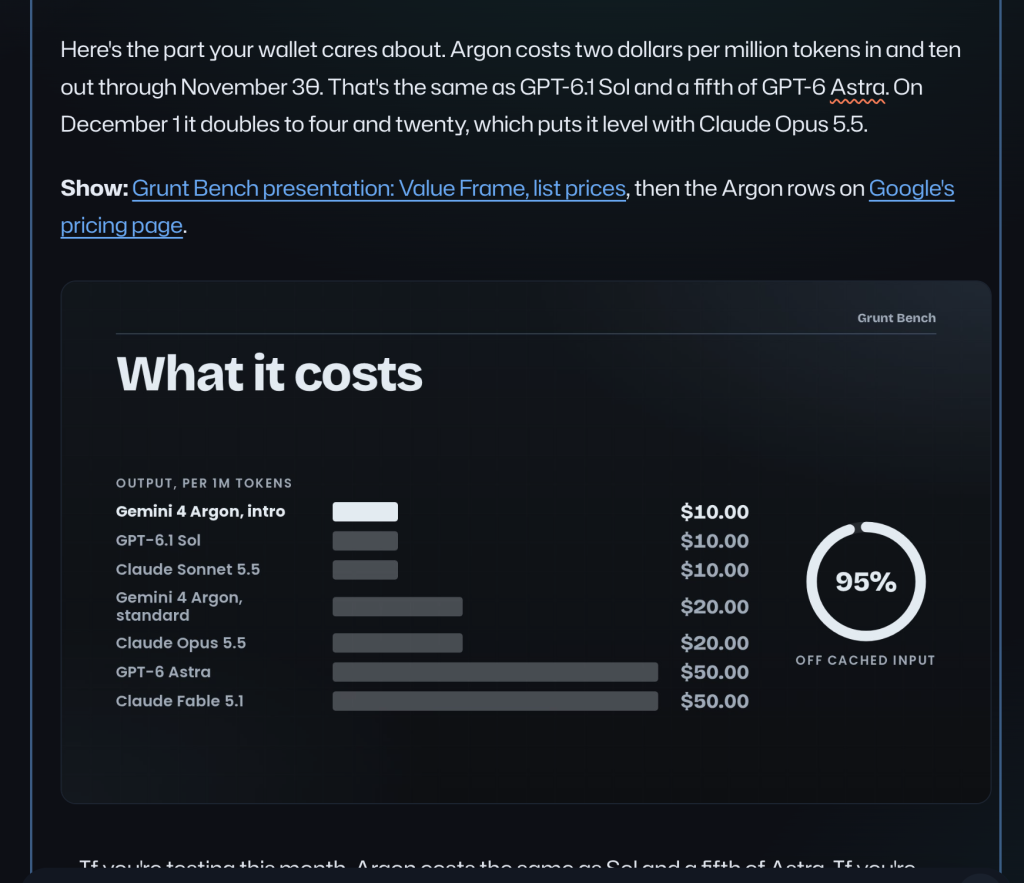
None of that was bad, and every step fixed a specific complaint. But look at what I was asking for: more color, animation, tooltips, a tighter summary. I was polishing the bars and never asking whether they should be bars at all.
Act Three: Just After Midnight
On October 29, I’d had enough of the list on the home page:
“I don’t even like that preview. Just get rid of it. Can you try a visualization. Give it to Opus 5.5 to do something interesting above the plain list.”
Then:
“Make Opus do something pretty cool and impressive, maybe 3d in some way with the data. You can get Argon and fable to do a test pass and show me the options.”
Then “Okay, skip Argon.”
That was the whole ask. I didn’t name a chart type. I gave it an attitude: interesting, cool, impressive, maybe 3D. I named the model I wanted on the job and asked to see options.
(It’s a little funny. When I was naming the project, I said I wanted practical comparisons, “not some 3d game or a snake game.” Two weeks later, I’m the one asking for 3D.)
Where the Effort Actually Lived
My messages were short, but the brief wasn’t. Benchy turned them into a self-contained brief for Opus 5.5: real data only, two to three options, 3D with a 2D fallback, lazy-loaded three.js, reduced motion support, a layout that works on mobile, and the site’s DESIGN.md. Then a review pass by a second model, Claude Fable 5.1, and one round of fixes.
Effort doesn’t have to mean typing a giant prompt. It can be a setup that turns your intent into real requirements and has a second model check the work before you ever see it.
Three Options in About 40 Minutes
About 40 minutes after my first message, three options were sitting on a preview branch.
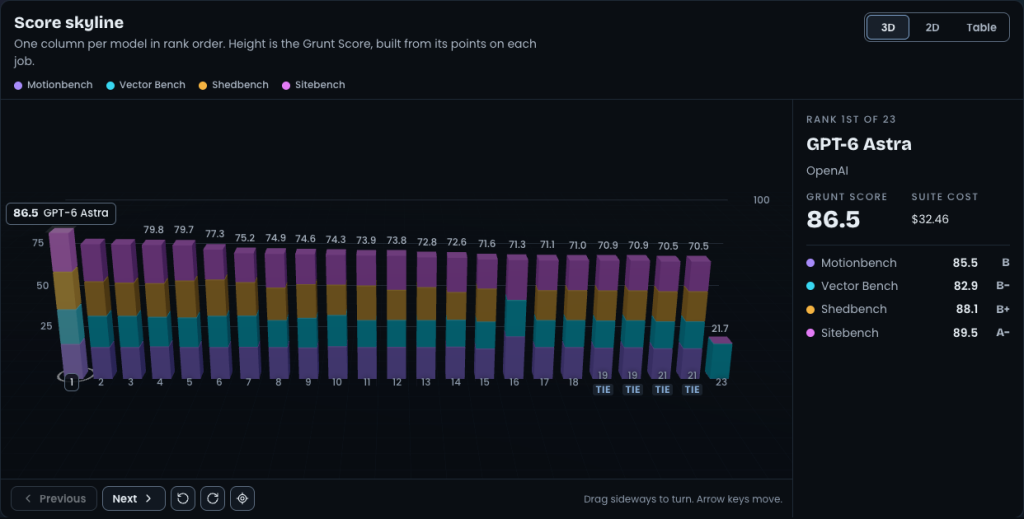
Option 1, Score skyline: one stacked 3D column per model. Basically a 3D bar chart.
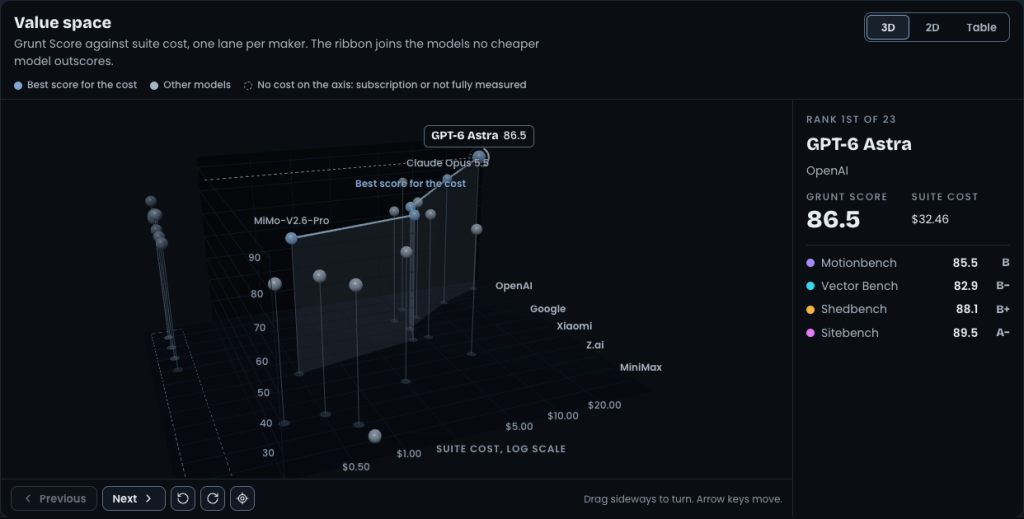
Option 2, Value space: Grunt Score plotted against suite cost on a log scale, one lane per maker, with a ribbon marking the best score for the cost.
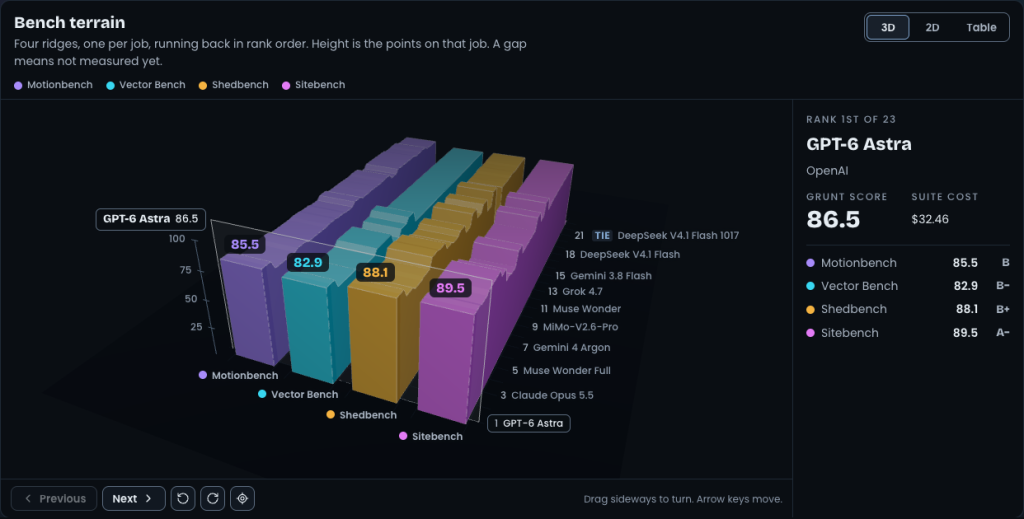
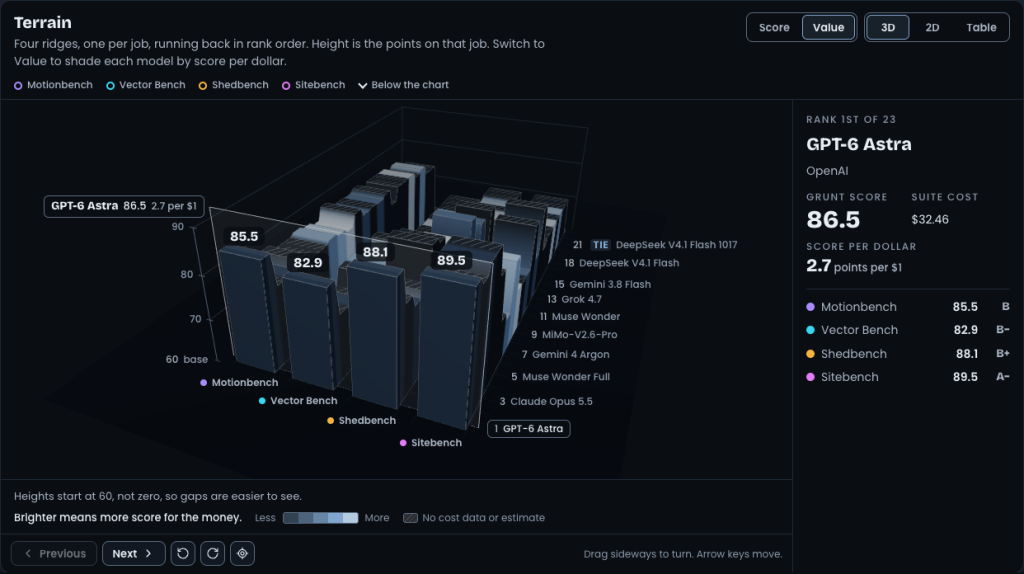
Option 3, Bench terrain: four ridges, one per job, with models in rank order running toward the back.
The bar chart option didn’t win. Even when you ask for impressive, the first idea can be the default in a new outfit. That’s why you ask for more than one.
One hiccup: I couldn’t open the preview where it was hosted. “Otis is just doing the work, but I actually work on Studio myself.” So the preview moved to my Mac Studio.
The Pushback
Then I sent the most important message of the night:
“I love the look of the bench terrain, but the utility of the value space. On benchterrain, I feel like the height of the terrains is too similar, not showing the differences enough. The value space gets a little complicated to understand.”
I didn’t say “make it better.” I said what I loved about each option, what was wrong, and why.
Benchy came back with a plan: fold Value into the terrain as a Score/Value toggle, drop the log axis and the ribbon, and start the height scale near the lowest real score so the differences show up. I said “yes.”
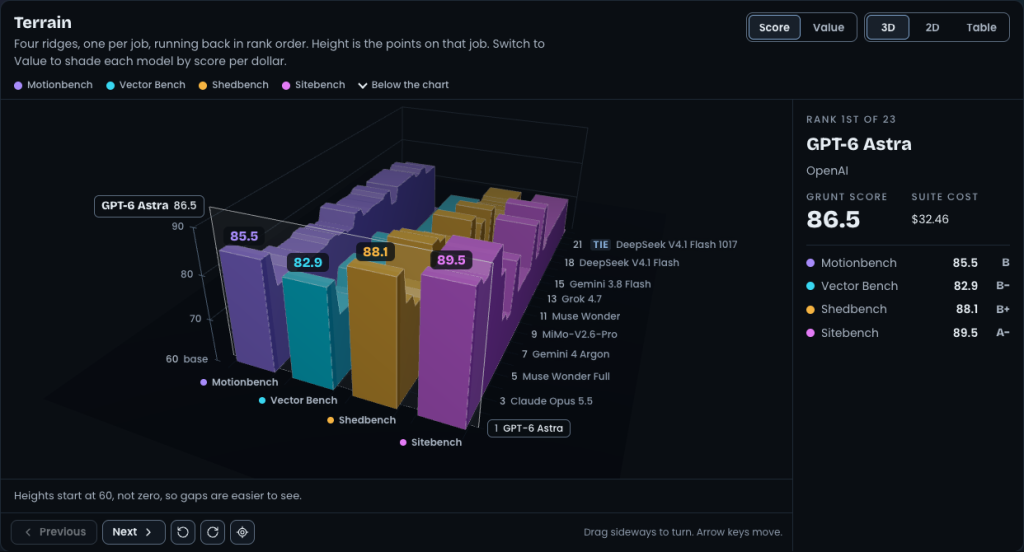
Truncated axes have a bad reputation, and they’ve earned it when they’re hidden. This one tells you about itself right under the chart.
Value mode exposed another problem. Most of the terrain went gray, because most models didn’t have a usable full cost yet. Missing data shows up as “Not measured yet” and never gets plotted as zero. Benchy flagged the gray to me, and that’s exactly what I want from my agents.
Cutting Scope
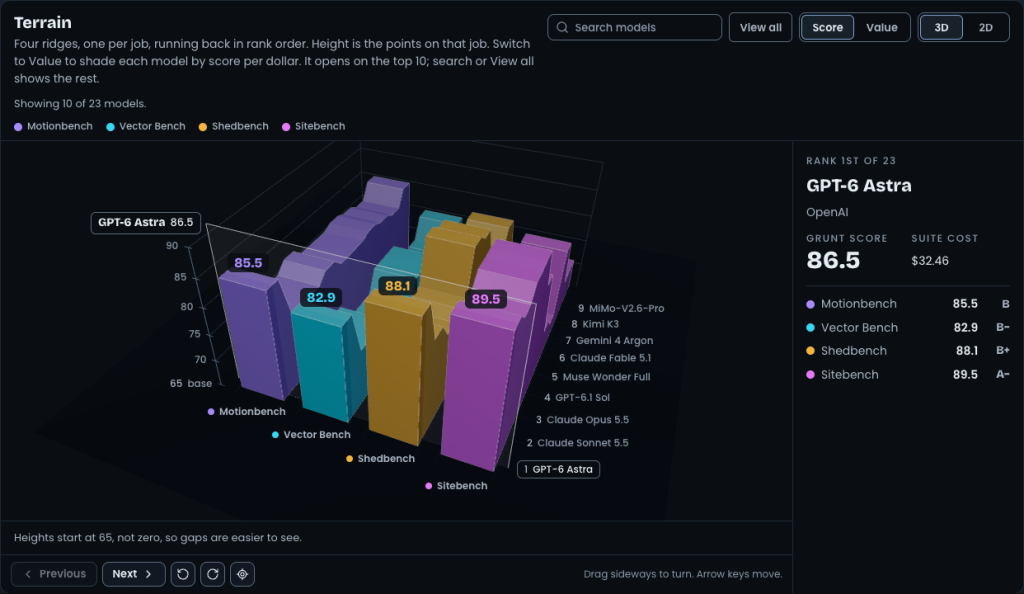
Next I wrote: “Love it. I don’t know if we need the table view, since it might duplicate the table view underneath.” And: “Maybe it shows the top 10 with a filter/search or a view all.”
Option 4b dropped the Table view, showed the top 10 by default, and added search and View all. The height floor now recalculates from whichever models are on screen.
Full screen mode and a /terrain route came next, and I kept picking at details: “exit full screen shouldn’t even be there, just do esc.” Around 3 AM I checked in with “Hows it going with gruntbench visuals”. (Yes, I was still up.)
Shipping
The last build didn’t go smoothly. The Opus run went for hours and never wrote its final report. Benchy killed it, committed a snapshot, and ran the checks itself: TypeScript, unit tests, end-to-end page checks, zero console errors, and no horizontal scroll from desktop down to phone width.
The Terrain went live on the home page around 6:10 AM. On desktop it sits above the list, on smaller screens it drops under the top five rows, and it has its own page at gruntbench.com/terrain.
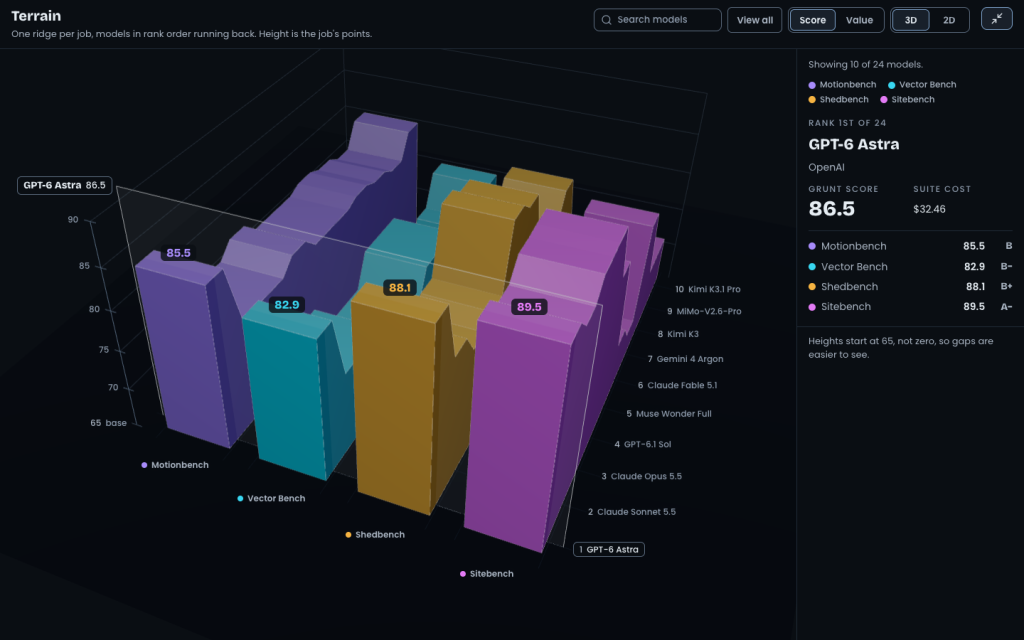
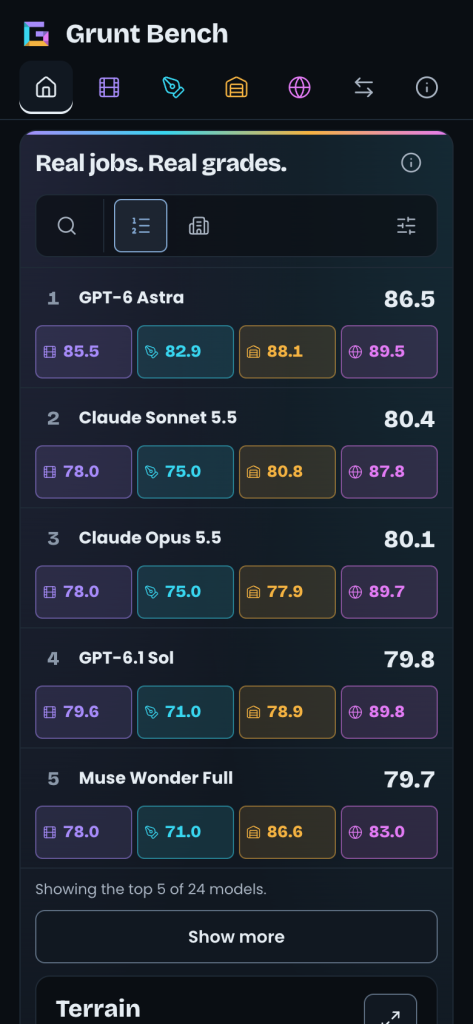
So why is this better than bars? Look at GPT-6.1 Sol in the screenshot at the top. A bar would show you its Grunt Score, 79.8, and nothing else. The terrain shows you an A minus on Sitebench and a C minus on Vector Bench. You see where each model is strong and where it falls off, for the top 10 at once, in a single view.
After using it live that morning, I wrote: “This looks amazing, can I ask for a compare view, where I can choose which models I want to see. … This is looking hawt!!!” More requests and a search bug followed. It’s never really finished.
What Effort Looks Like When You Ask AI for Something
Start to finish, this took about six hours. My part was a handful of short messages at the right moments. Here’s what made them work:
- Ask for an attitude, not only a format. “Cool and impressive, maybe 3D” left room for something I wouldn’t have thought to ask for.
- Ask for options. Picking from three real previews beats describing a chart you’ve never seen.
- Pick the model and add a reviewer. One model built it, and a second one checked it before I saw it.
- Push back with specifics. “Love the look of this, the utility of that” got me somewhere. “Make it better” wouldn’t have.
- Cut what duplicates. The Table view repeated the list underneath, so it went.
- Keep the data honest. Label a truncated axis. Show missing data as missing, never as zero.
Bar charts aren’t the enemy. The default is. AI will happily hand you the default, and it’ll even animate the bars if you ask. The effort that matters isn’t writing a longer prompt. It’s asking for options, reacting to what you see, and saying exactly why something isn’t there yet.
So what default are you still accepting?